
mcp mermaid
❤️ Generate mermaid diagram and chart with AI MCP dynamically.
Repository Info
About This Server
❤️ Generate mermaid diagram and chart with AI MCP dynamically.
Model Context Protocol (MCP) - This server can be integrated with AI applications to provide additional context and capabilities, enabling enhanced AI interactions and functionality.
Documentation
 MCP Mermaid


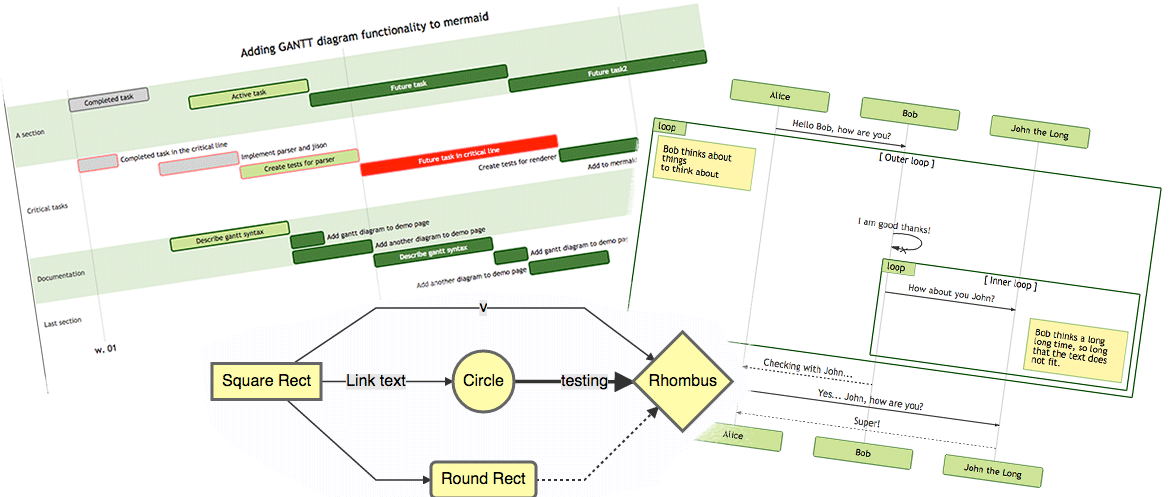
Generate mermaid diagram and chart with AI MCP dynamically. Also you can use 
✨ Features
- Fully support all features and syntax of
Mermaid. - Support configuration of
backgroundColorandtheme, enabling large AI models to output rich style configurations. - Support exporting to
png,svg, andmermaidformats, with validation forMermaidto facilitate the model's multi-round output of correct syntax and graphics.
🤖 Usage
To use with Desktop APP, such as Claude, VSCode, Cline, Cherry Studio, and so on, add the MCP server config below. On Mac system:
{
  "mcpServers": {
    "mcp-mermaid": {
      "command": "npx",
      "args": [
        "-y",
        "mcp-mermaid"
      ]
    }
  }
}
On Window system:
{
  "mcpServers": {
    "mcp-mermaid": {
      "command": "cmd",
      "args": [
        "/c",
        "npx",
        "-y",
        "mcp-mermaid"
      ]
    }
  }
}
Also, you can use it on aliyun, modelscope, glama.ai, smithery.ai or others with HTTP, SSE Protocol.
🚰 Run with SSE or Streamable transport
Install the package globally.
npm install -g mcp-mermaid
Run the server with your preferred transport option:
# For SSE transport (default endpoint: /sse)
mcp-mermaid -t sse

# For Streamable transport with custom endpoint
mcp-mermaid -t streamable
Then you can access the server at:
- SSE transport:
http://localhost:3033/sse - Streamable transport:
http://localhost:3033/mcp
🎮 CLI Options
You can also use the following CLI options when running the MCP server. Command options by run cli with -h.
MCP Mermaid CLI

Options:
  --transport, -t  Specify the transport protocol: "stdio", "sse", or "streamable" (default: "stdio")
  --port, -p       Specify the port for SSE or streamable transport (default: 3033)
  --endpoint, -e   Specify the endpoint for the transport:
                    - For SSE: default is "/sse"
                    - For streamable: default is "/mcp"
  --help, -h       Show this help message
🔨 Development
Install dependencies:
npm install
Build the server:
npm run build
Start the MCP server:
npm run start
📄 License
MIT@hustcc.
Quick Start
Clone the repository
git clone https://github.com/hustcc/mcp-mermaidInstall dependencies
cd mcp-mermaid
npm installFollow the documentation
Check the repository's README.md file for specific installation and usage instructions.
Repository Details
Recommended MCP Servers
Discord MCP
Enable AI assistants to seamlessly interact with Discord servers, channels, and messages.
Knit MCP
Connect AI agents to 200+ SaaS applications and automate workflows.
Apify MCP Server
Deploy and interact with Apify actors for web scraping and data extraction.
BrowserStack MCP
BrowserStack MCP Server for automated testing across multiple browsers.
Zapier MCP
A Zapier server that provides automation capabilities for various apps.